Every job. Every team. One powerful system.
Run your whole trade business from first enquiry to final payment: leads, quotations, planning, projects, stock, assets, accounting and payroll in one system your team uses from the office to site, with an AI assistant that can draft the quote for you. Your business runs on its own dedicated instance.
From first enquiry to paid invoice
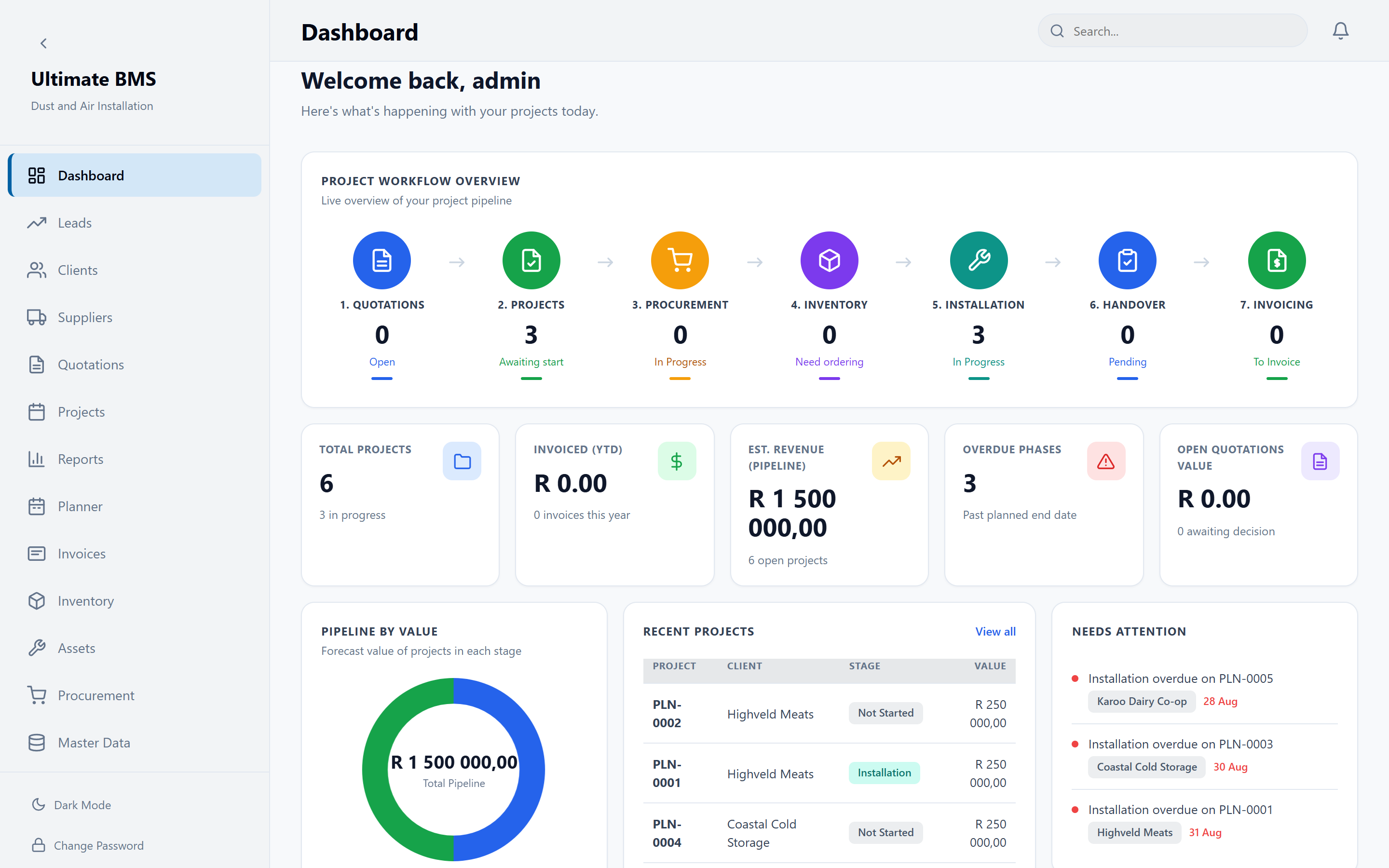
Every record carries the steps before it. Convert a lead and the quote opens. Accept the quote and the project is ready with next steps. Raise the invoice and it links back to the job, the quote and the client.
- 01Lead
- 02Client
- 03Quote
- 04Project
- 05Invoiced
- 06Paid
- 01
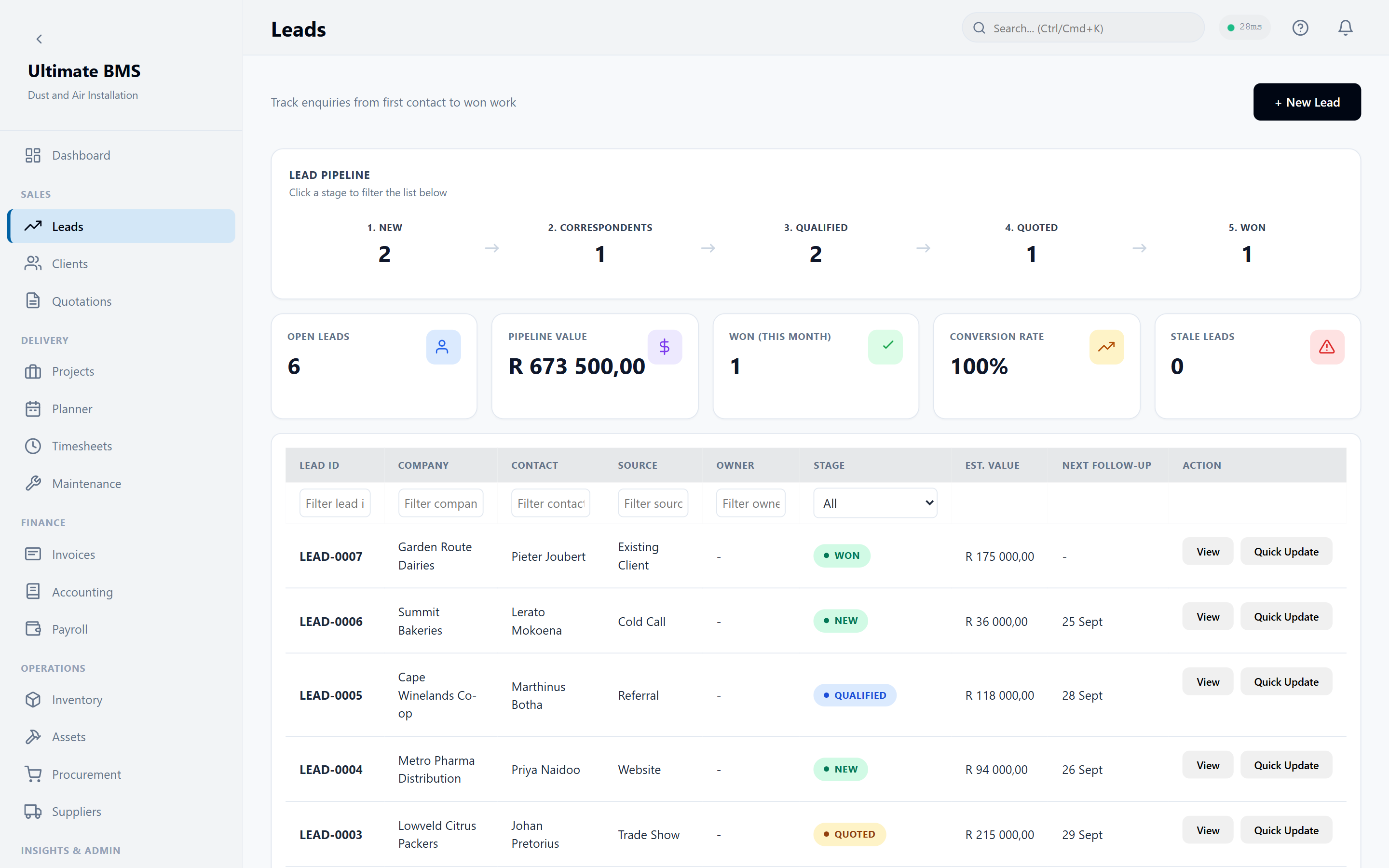
Capture the lead
Every enquiry enters one organised pipeline, with calls, emails and site visits on the client's timeline.
- 02
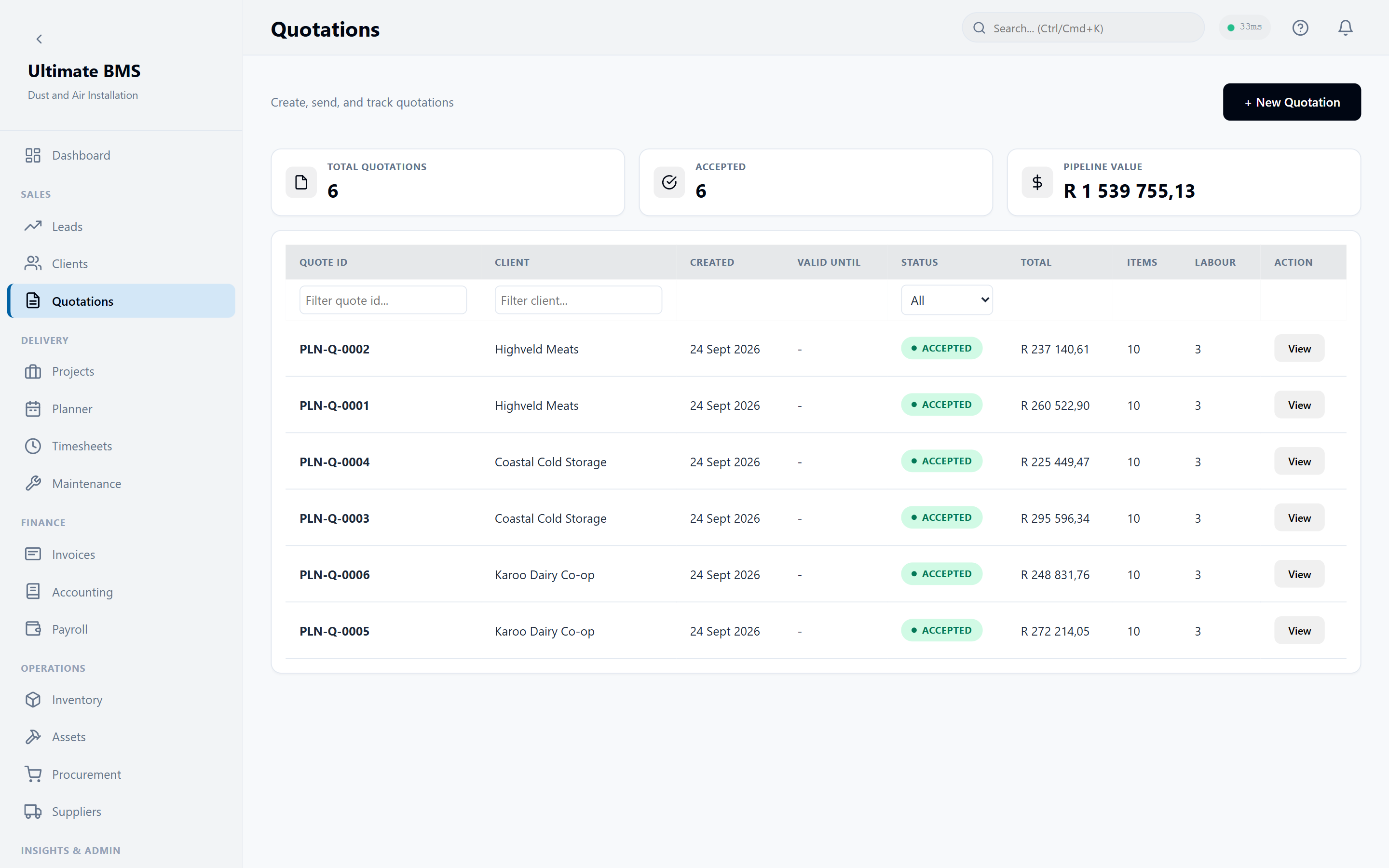
Send the quote
Build quotations from your own price list. Accepted quotes become projects in one click.
- 03
Manage the project
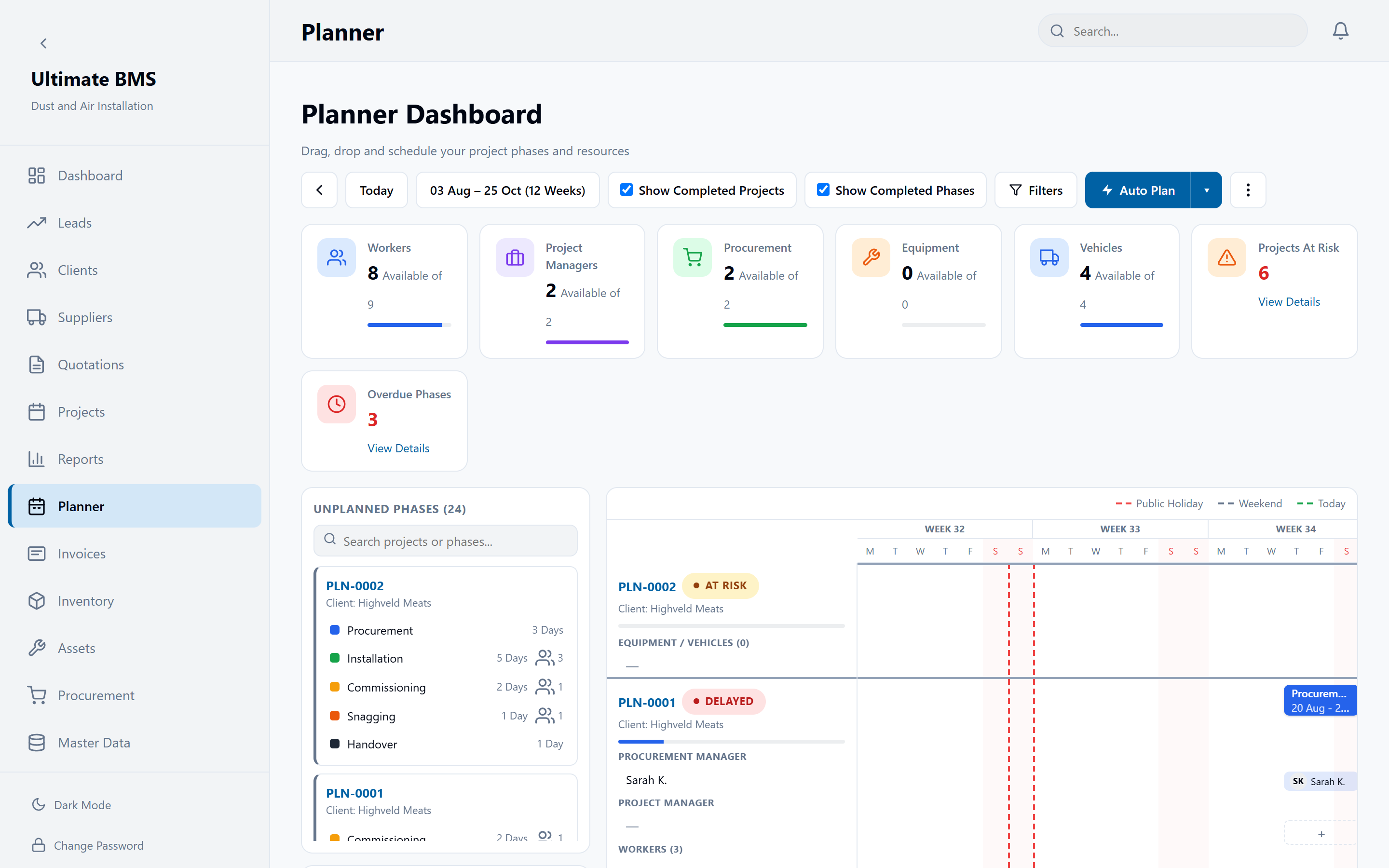
Coordinate phases, people, vehicles and equipment on the planner, with clashes flagged early.
- 04
Invoice and get paid
Job costs, invoices and payments stay linked to the project, so margin is visible while you can still act.
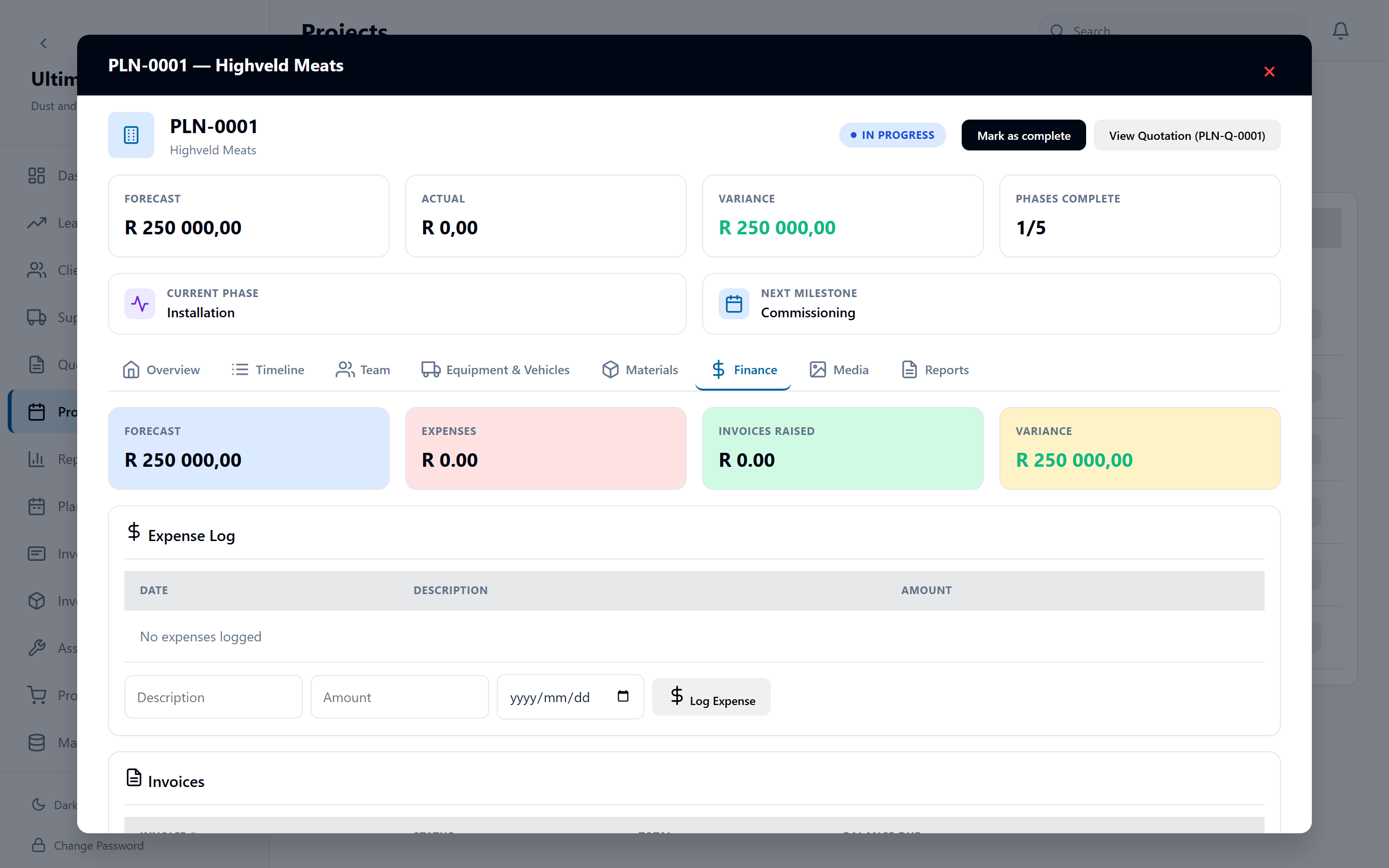
Built for the way jobs actually happen
One system from the first enquiry to the books: no separate CRM, spreadsheet planner, accounting package or payroll tool to keep in sync.
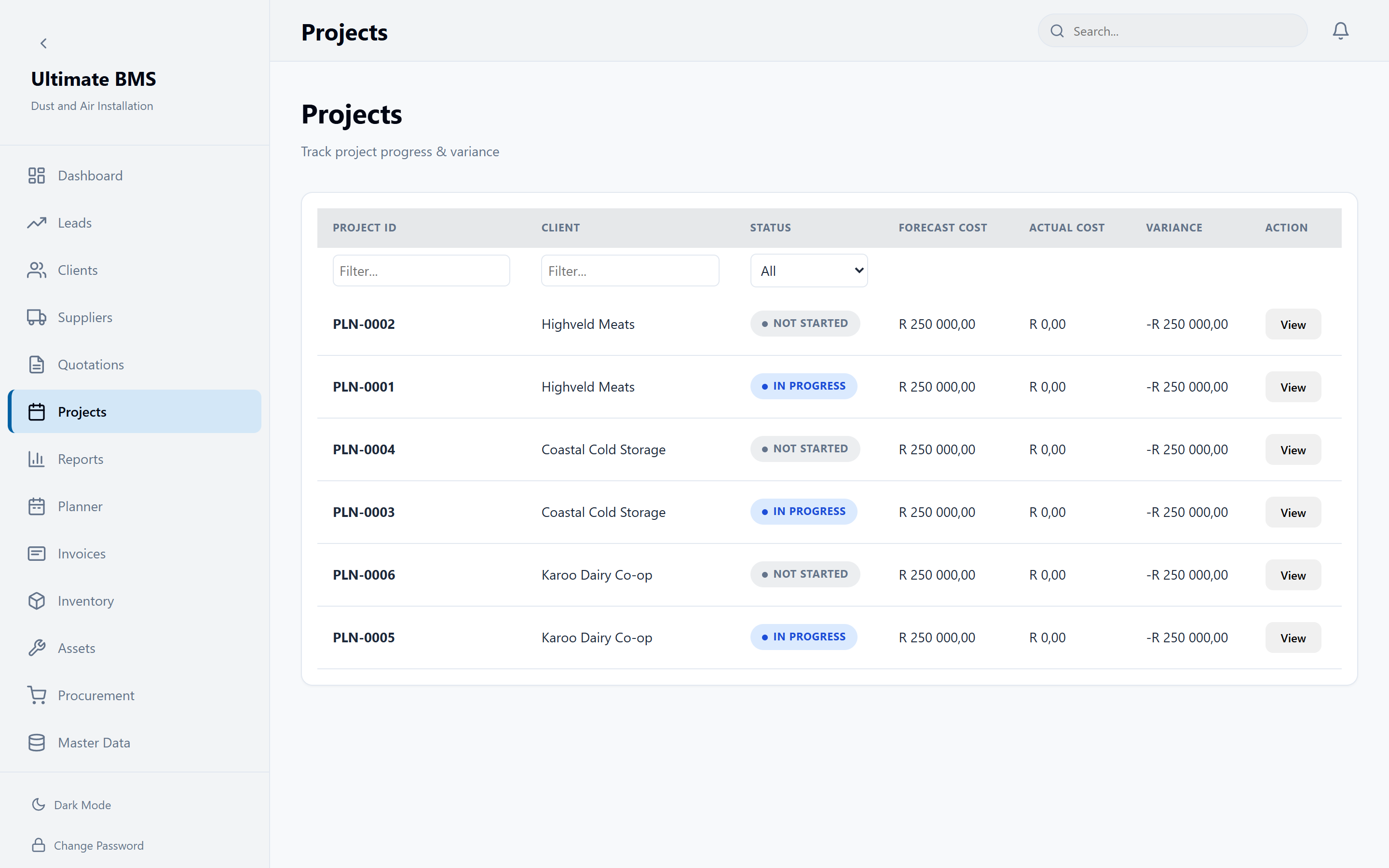
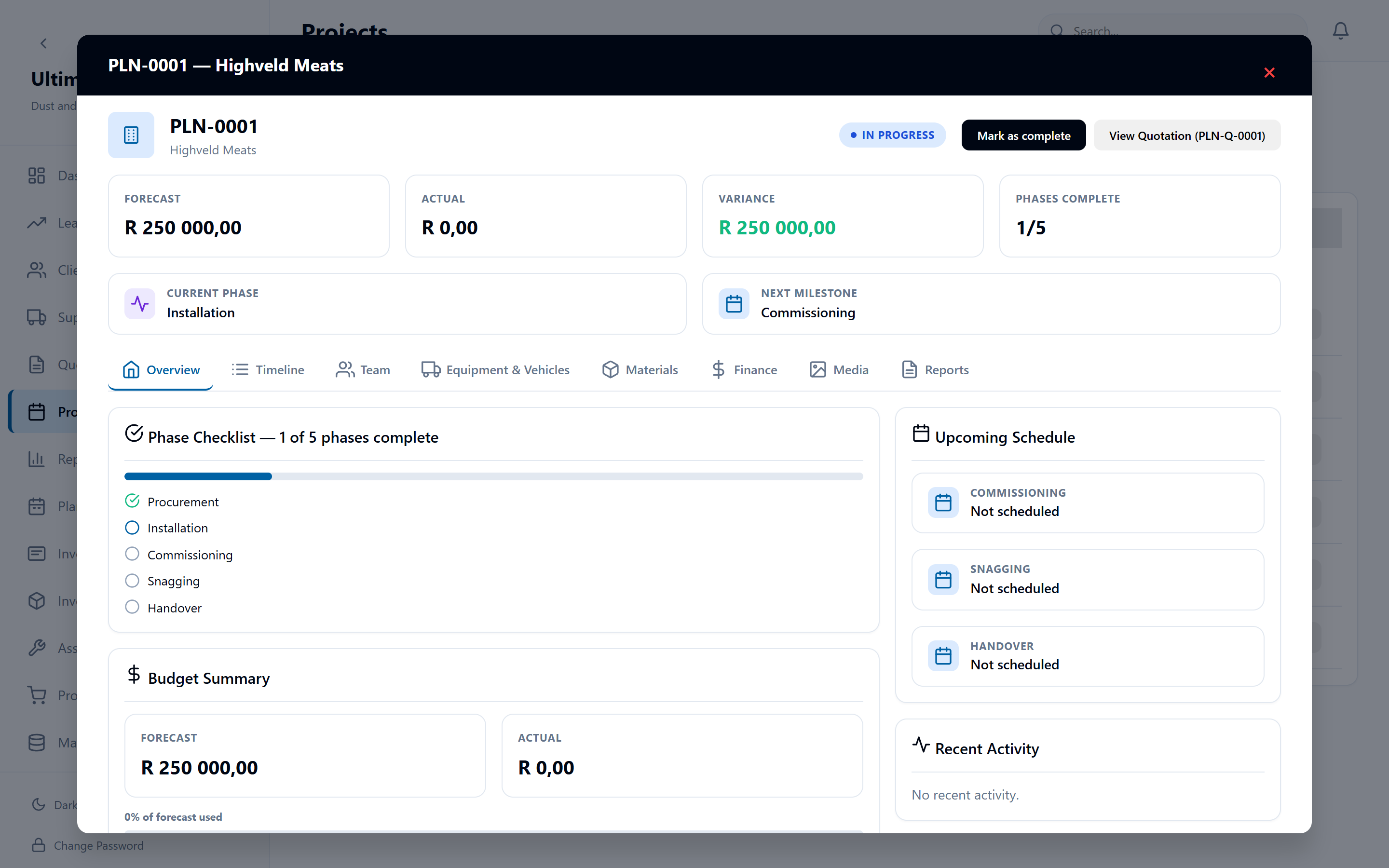
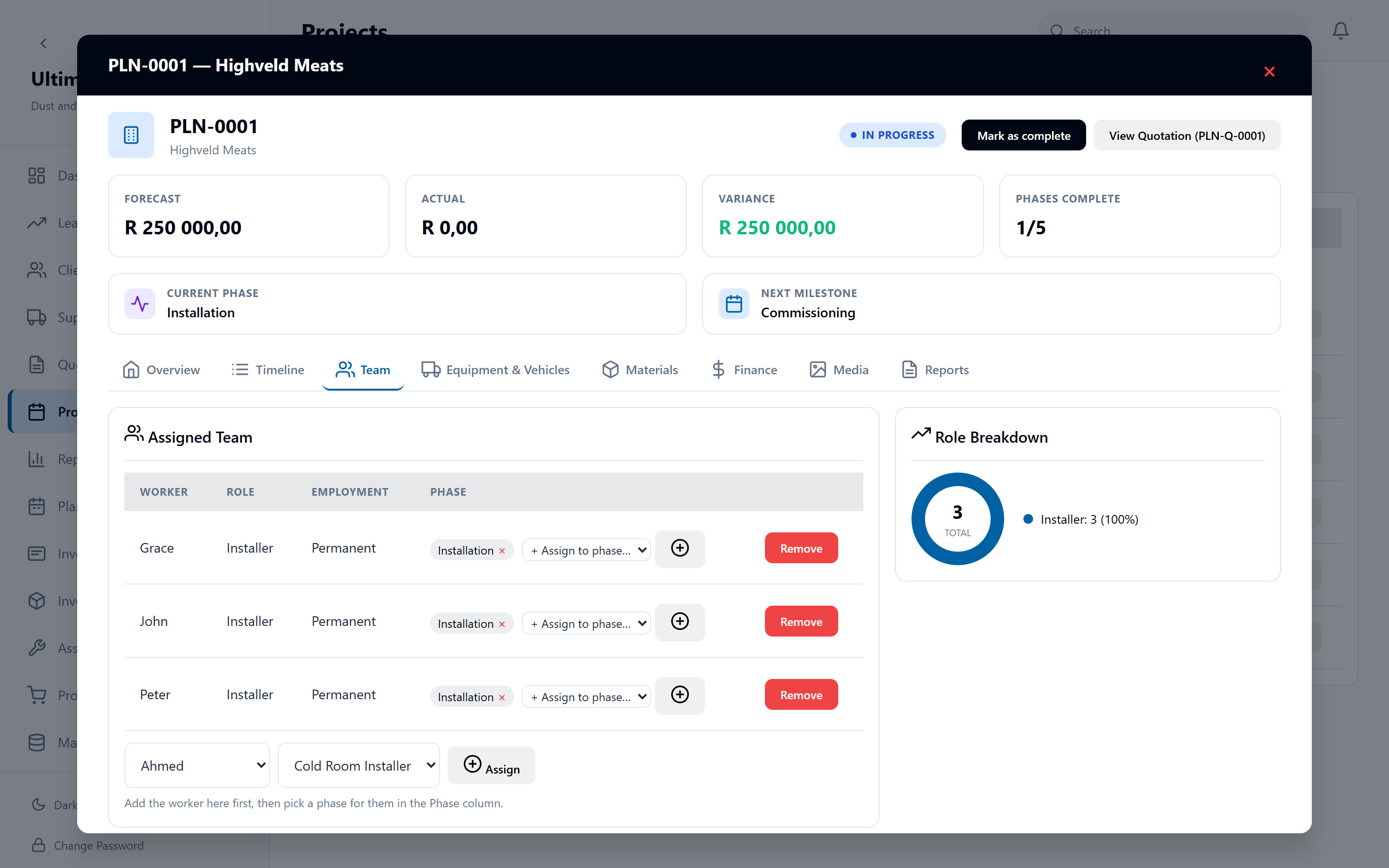
Every pipeline stage, live.
Leads & clients
A pipeline that moves itself: leads go to Quoted, Won or Lost as quotes are sent and decided, with the reason recorded and every call, email and site visit on the client's timeline.
Quotations
Price equipment, labour and remote allowances from your own master data, then email the PDF or mark it sent. Accepted quotes become projects in one click.
Projects
Phases, time, materials, subcontractors, expenses and site photos per job, with forecast against actual so you see the margin while there's still time to act.
Planner
Drag project phases, crew, equipment and vehicles onto the week. Clashes are flagged before they happen on site.
Accounting
A double-entry ledger that fills itself as you invoice, get paid, enter bills and log expenses. Bank import and reconciliation, VAT201 periods, and P&L, balance sheet, cash flow and project profitability reports.
Invoicing
Deposit and final invoices straight from the project, credit notes, payments to the right bank account, and overdue tracking on the dashboard.
South African payroll
PAYE, UIF, SDL and ETI worked out for you, with EMP201 figures, IRP5/IT3(a) certificates and the EMP501 reconciliation. Every pay run needs two approvers before it posts.
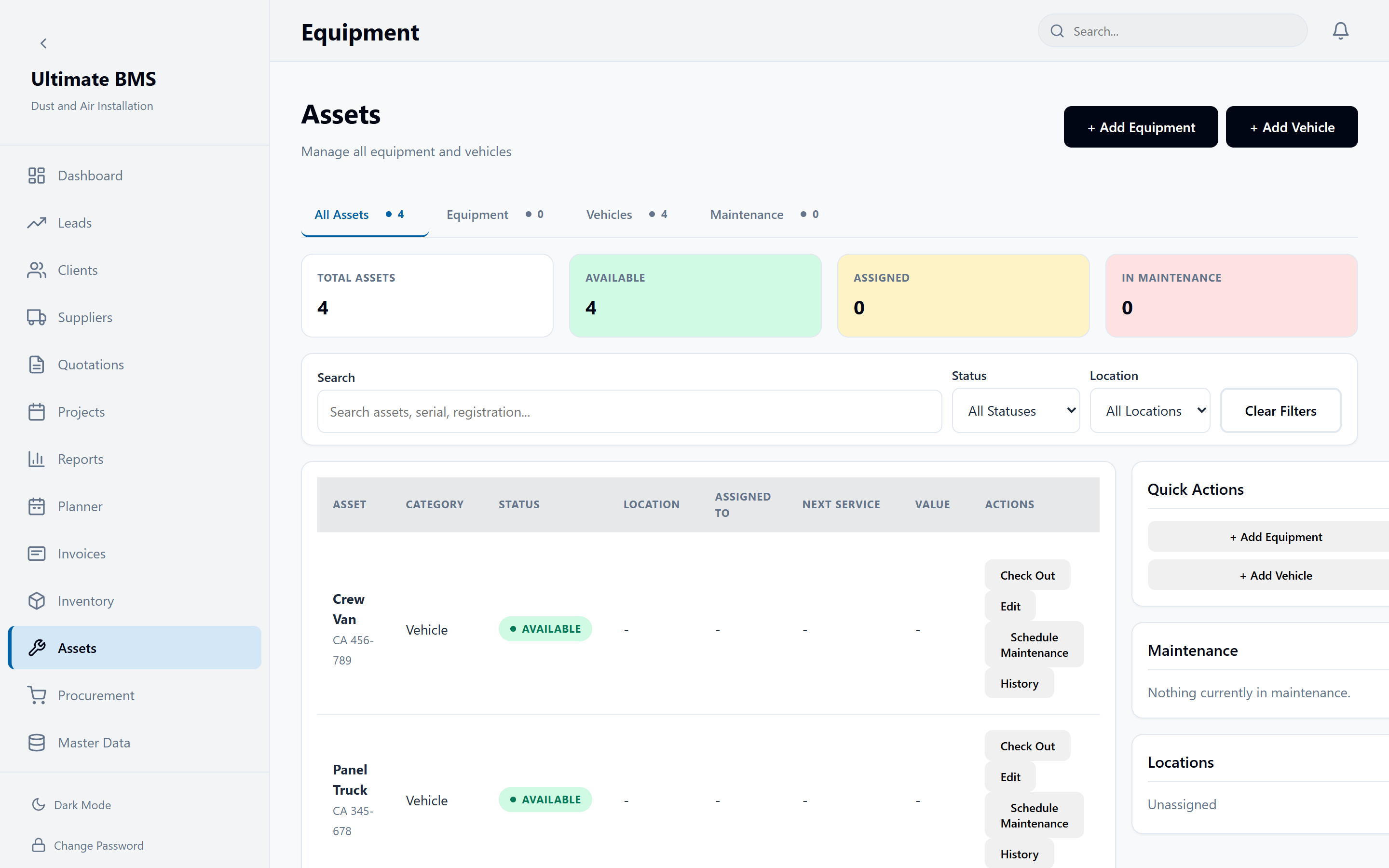
Assets & maintenance
Equipment and vehicles in one register: location, availability, check-out and check-in, odometer and next service date. Capitalise an asset and its depreciation and book value follow.
Stock & procurement
Ledger-based inventory costed at what you actually paid, suppliers and purchase orders. Low-stock alerts and shortfalls on accepted quotes turn into POs, not surprises.
AI assistant
Type or talk hands-free: “quote Acme for four dome cameras and two days' installation”. It drafts the quote from your real price list and saves nothing until you confirm. It also answers questions about your jobs.
Voice notes, written up
Record a voice note on a lead or client and the AI transcribes it into the notes. You choose the model, see its price, and track AI spend day by day.
Your team, trained in-app
A guided tour walks each person through the pages their role can use, so new starters get going without a training day. Roles keep installers, accountants and managers in their lane.
Your instance is yours
Export your data any time, in open formats. Your instance is dedicated to you, with encrypted backups that we prove by restoring them.
Read our security & trust page →Is my data shared with other businesses?
No. Every plan runs on its own dedicated instance and database. Nobody else's data ever touches yours.
Can I get my data out?
Yes, any time. Structured (CSV/JSON) and full database exports are one click away in the customer portal, no support ticket needed.
How does the AI credit work?
Each plan includes a monthly AI credit for the assistant. Unused credit doesn't roll over, and you control top-ups, so there are no surprise bills.
Is it built for South African businesses?
Yes. It works in rand, runs VAT201 periods, and payroll covers PAYE, UIF, SDL, ETI, EMP201, IRP5 and EMP501.
Can the AI see salaries?
No. Payroll, payslips and salaries are off-limits to the AI assistant, and it never saves a quote or change until you confirm it.
Can I see it before I commit?
The screens on this page are the real product. Join early access and we'll get you set up on your own instance.
See your entire business working together
We're onboarding our first trade businesses now. Join early access and we'll get you set up.